How to use it
Choose a diagram type, enter valid Mermaid syntax, review the live rendering and export or copy the result for documentation. Build complex diagrams incrementally so errors are easier to isolate.
The fastest way to create flowcharts and sequence diagrams. Write simple code in this mermaid editor online and watch it render in real-time. No login required.
A powerful, privacy-first alternative to heavy diagramming tools.
As a truly simple Mermaid editor, it automatically catches and fixes invisible characters from Notion or Word so your diagram never breaks.
Your data never leaves your computer. We provide a pure mermaid editor local experience using your browser's IndexedDB. Work completely offline.
Stop taking blurry screenshots. Export crisp, infinite-resolution vector graphics (SVG) perfectly formatted for your documents and wikis.
Review the workflow, expected output and boundaries before relying on the tool.
Choose a diagram type, enter valid Mermaid syntax, review the live rendering and export or copy the result for documentation. Build complex diagrams incrementally so errors are easier to isolate.
Do not paste confidential architecture, credentials, production URLs or security-sensitive system details unless you have verified the application’s processing and storage behavior.
Rendering depends on valid Mermaid syntax and browser support. The editor does not validate whether the documented architecture is secure, complete or operationally correct.
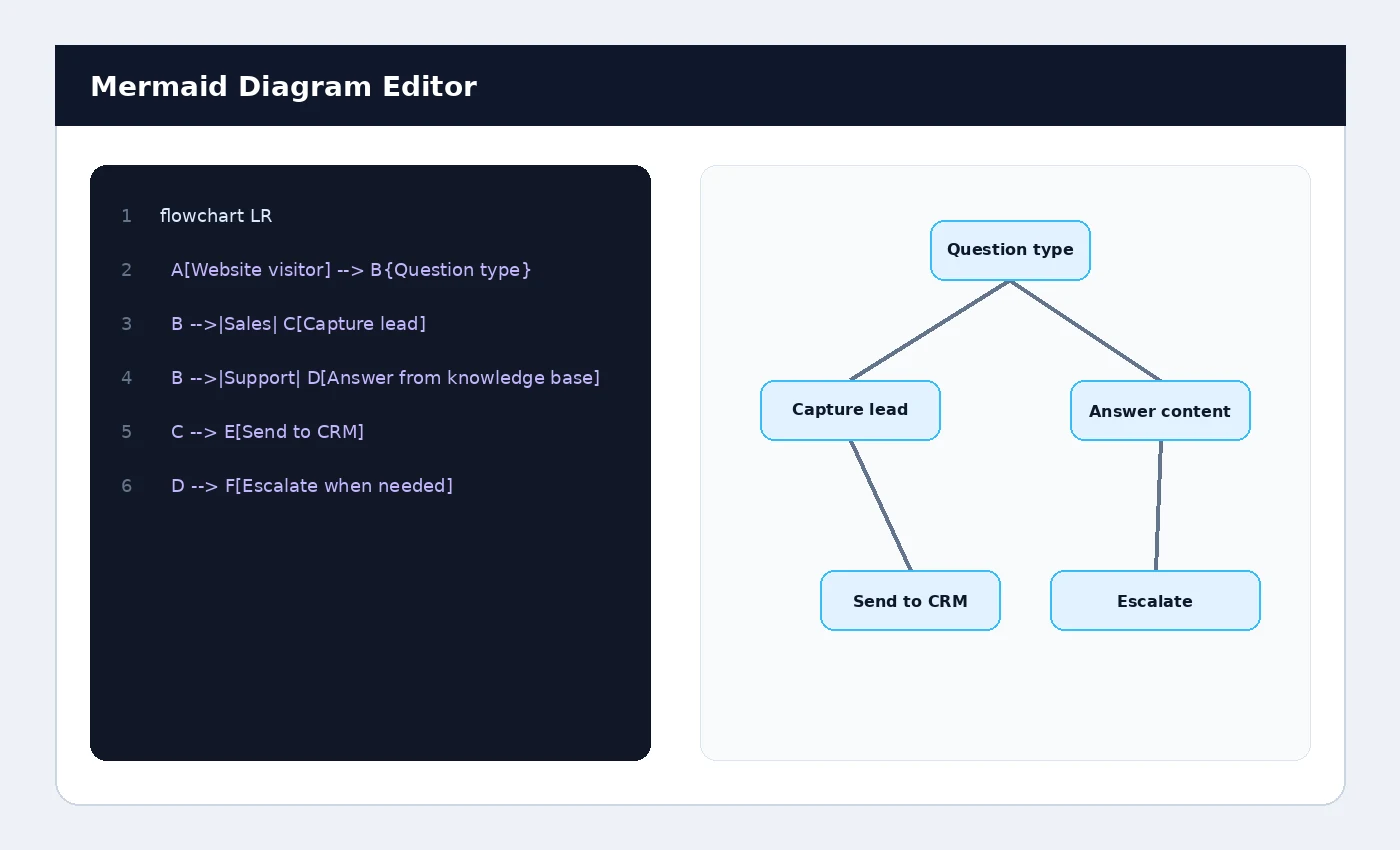
A flowchart can show how a website visitor moves from a question to an answer, lead capture, CRM handoff or human escalation. Sequence diagrams can document API calls and service interactions.
Looking for a Mermaid editor free of charge? This application is widely regarded as the Top Local Mermaid Editor and a powerful, free online alternative to heavy diagramming tools. It functions as a seamless Mermaid live editor, allowing software engineers, product managers, and technical writers to convert plain text into beautiful graphical diagrams instantly.
Whether you need a mermaid editor online for quick web access, or a secure mermaid editor local experience, this tool provides both seamlessly. All data is saved securely in your browser's local database, meaning it works entirely locally without cloud tracking. As a highly simple Mermaid editor, it features an intelligent auto-formatter that fixes invisible non-breaking spaces and syntax errors gracefully.